Freedb
Reading the Artist, Title, and Track List

Using Freedb when Making CD Labels
The
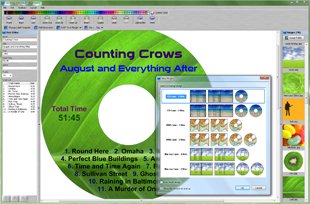
Read CD option in AudioLabel uses the
Freedb internet database to search for album information (artist, title, track list) and automatically fill out the label for you.
The search always retrieves the number of tracks, track times, and total time.
Freedb is an enormous database on the internet that contains audio cd album information (artist, title, track list, year, and genre).
This information is submitted by individuals all over the world, and grows rapidly every day.
There are many audio programs (like cd-burning programs) that allow users to submit their cd information to Freedb.
Freedb can only recognize the entire CD, so it usually works well with "store bought" CD's.
Freedb works by reading the table of contents from the CD.
Based on the number of tracks and track times, a unique number is generated which is called the Disc ID.
The Disc ID is then used to search the Freedb database.
When making cd labels, it is extremely rare that two different albums will have the same number of tracks, with the same track times, in the same order.
Since the search of the database is based on the number of tracks and track times, this function will also work on copies of the original CD.
When burning CD's, it is very important to keep the same number of tracks, in the same order, with the same track times. (most cd-burning programs do this automatically, so not to worry)
For more information on Freedb, please visit their web site at
www.freedb.org