Edit Menu
For Disc and Jewel Case Templates
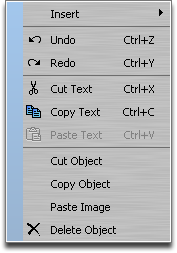
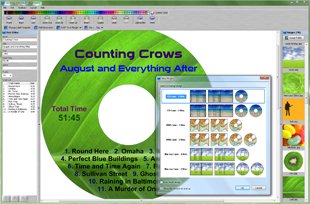
The Edit Menu is used to Cut/Copy/Paste text and images to your disc label or jewel case template.
The Edit menu is displayed when you select
Edit from the top menu bar, or when you right-mouse click an image or text
object on the label.
Undo: Use this option to undo the last action performed.
When the program is closed, or a
new project is opened, the list of undo actions is deleted.
Redo: Use this option to redo actions that have been undone.
When the program is closed, or a
new project is opened, the list of redo actions is deleted.
Cut Text: This option cuts the selected text from the label, and moves it to the
clipboard.
Cutting text to the clipboard replaces any data previously held there.
Copy Text: This option copies the selected text to the
clipboard.
The copied text is not deleted from the label.
Copying text to the clipboard replaces any data previously held there.
Paste Text: Use this option to paste text from the
clipboard to the label.
Cut Object: This option cuts the selected
object from the label, and moves it to the
clipboard.
Cutting objects to the clipboard replaces any data previously held there.
Copy Object: This option copies the selected
object to the
clipboard.
The copied object is not deleted from the label.
Copying objects to the clipboard replaces any data previously held there.
Paste Object: Use this option to paste an
object from the
clipboard to the label.
This option can be used to paste images that were copied from other programs (like Microsoft Internet Explorer, or Google Chrome).
Delete Object: This option deletes the selected
object from the label.