Main Toolbar
AudioLabel Jewel Case Maker
 Main Toolbar
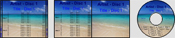
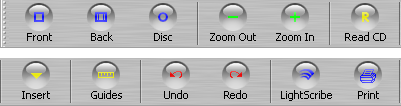
Front or Case: This option shows the front jewel case label or the outside case label (depending on the label type selected).
Back or Booklet: This option shows the back jewel case label or the case insert (depending on the label type selected).
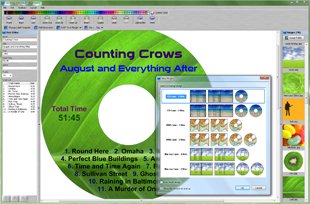
Disc: This option shows the disc label.
Zoom Out: Use this option to zoom out from the page. The amount of zoom does not affect the printed page.
Zoom In: Use this option to zoom into the page. The amount of zoom does not affect the printed page.
Read CD: The Read CD option is used to search for album information (artist, title, track list) and automatically fill out the label for you.
The search always retrieves the number of tracks, track times, and total time. An internet connection may be required for this option.
When the Read CD button is pressed, the
Read CD dialog is displayed.
Guides: Use this option to show or hide the outline for each
object on the screen.
The
print area outline is also displayed. When using AudioLabel Jewel Case Maker, the outlines are only used as guides and are never printed.
Undo: Use this option to undo the last action performed. When the program is closed or a new project is opened the list of undo actions is deleted.
Redo: Use this option to redo actions that have been undone. When the program is closed or a new project is opened the list of redo actions is deleted.
LightScribe: This button opens the LightScribe dialog.
Print: This option will print the current AudioLabel project. The
Print dialog is displayed.