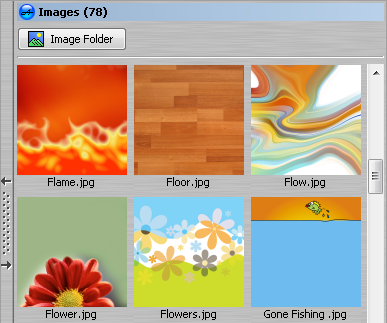
Image Toolbar
AudioLabel CD/DVD Label Software
The
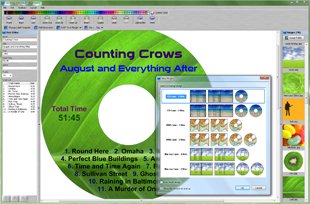
Image Toolbar is used to add an image to the CD, DVD, Blu-ray, or LightScribe label.
There are a few ways to add an image:
1. You can drag and drop an image from the toolbar to the label.
The image is placed on top of all other images.
2. You can double-click an image on the toolbar to set is as the background.
The background image is stretched to the edge of the label, and any existing background image is replaced.
This option also sets the
Aspect Ratio property to
Unlock Aspect Ratio so the image can be stretched evenly across the label.
3. You can copy and paste images from other software like Microsoft Internet Explorer, or Google Chrome.
AudioLabel supports 32 bit transparent images so you can copy and paste PNG images and preserve the transparency.
To get the highest resolution image, make sure the image is being viewed at full size before copying and pasting.
 |
An image can be set as the CD/DVD background image using the Set As Background button. |
|
An image can be placed on top of all other images using the Bring to Front button. |
|
The width of the Image Toolbar can be changed by holding down the left mouse button over the left side bar, and moving the mouse. |
|
Double clicking the left side bar of the Image Toolbar will automatically size the toolbar to one column. |