Image Folder Dialog
AudioLabel CD/DVD Cover Software
This dialog is displayed when the
Image Folder button is pressed on the
Image Toolbar.
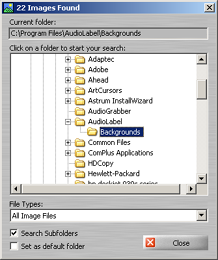
The Image Folder dialog is used to search your computer for existing images.
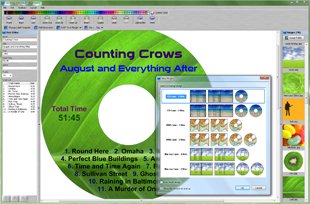
Simply click on a folder to start your search. All of the images will be displayed as thumbnails on the Image Toolbar.
File Types: The option allows you to filter the search by specific file types.
Search Subfolders: When this box is checked, the search will include all of the folders below the selected folder.
This is very useful for searching an entire drive.
Set as default folder: When this box is checked, the currently selected folder is set as the default folder.
The default folder is displayed each time you start the AudioLabel DVD Cover software.