Text and Image Objects
AudioLabel CD Cover Creator
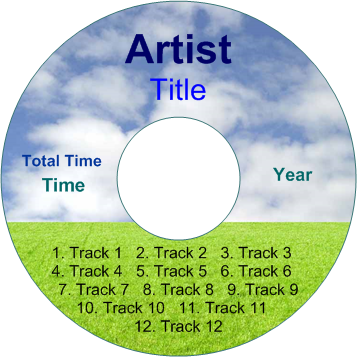
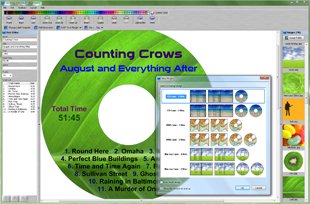
An AudioLabel object is any item that can be placed on the cover.
There are currently eight different objects including Artist, Title, Track, Time, Year, Genre, Text, and Image.
Except for the Image object, all of the objects are text boxes with text editing capabilities.
Instead of just using one text box, AudioLabel separates the text so the
Read CD function can add the album information to the correct place on the cover.
Since these objects are connected to the Read CD function, the text will be overwritten every time you read the CD.
If you need to add generic text that is not connected to the album search, then use the standard Text Object.
 |
The text for each type of object is linked together.
For example, if you change the text for an Artist object, the text is also changed for every Artist object across the all the covers (front, back, and disc).
Although the text is linked together, all of the other properties like font, color, and angle are still unique to each object.
The linking of objects can be turned On/Off by using the Text Linking property on the Properties Toolbar.
The standard Text Object does not use Text Linking, so the text is always kept separate from other Text Objects.
|
|
The Track List object contains the track numbers, track names, and track times.
The actual number of tracks in the list is set by the Read CD function; although, you can also manually add and delete tracks using the Text Editor.
|
|
When Image Objects are added to the cover, they are added in layers.
The last image added will always be on top. You can change which image is on top by using the Bring to Front property on the Properties Toolbar.
|